
Digital odometer display not working means the mileage screen is blank, frozen, dim, or cutting out even though the car still drives normally. That usually points to a power issue, a loose connector, a speed sensor fault, or a problem inside the cluster.
This guide covers the common checks and deeper repairs that can restore a dead, flickering, or stalled mileage readout, especially for drivers troubleshooting dashboard problems before booking a costly shop visit.
The First Signs Point to More Than One Fault
One symptom can point in two directions. A blank display usually means power or backlight trouble, while a stuck mileage count usually means the cluster isn’t getting fresh speed data.
The speedometer, warning lamps, and fuel gauge fill in the gap. A working tachometer with a dead odometer narrows the fault to the display path, while several dead gauges together point to a broader instrument cluster not working problem. The car can still run normally while mileage tracking falls apart.
Blank, Frozen, Dim, And Flickering Each Mean Something Different
A blank screen gives the cleanest clue: power or illumination has likely dropped out. A frozen number means the cluster is powered but isn’t receiving fresh speed data. Dim text or a faint glow at night points to backlight or dimmer control trouble, not a dead module.
Flickering is the messy one. A display that cuts in and out when you hit a bump or close the door usually points to a loose connector, cracked solder joint, or weak ground. That pattern often shows up before the display quits for good, so the next checks should stay close to the power path.
Because the power path is suspect, the inspection should start with the basics under the dash.
Power, Lighting, And Fuse Checks
A blown fuse can silence the whole display in seconds. Start with the fuse box, especially if a speedometer display gone out or a dashboard display not showing speed showed up after a battery jump, stereo install, or other electrical work.
The fuse itself is only part of the story. Many clusters share a fused feed with lighting or ignition circuits, so a dim display or partial illumination can point to a weak power feed rather than a fully dead one. Headlight dimmer changes matter too, because a backlight fault may show up only at night.
Inspect The Fuse Box Before Anything Else
Pull the cluster or gauge fuse and check for a broken strip, heat marks, or loose blades. A 10-amp or 15-amp fuse can fail without obvious melting, so a visual glance is not enough; use a meter or swap with a same-rated spare only for a quick comparison.
Some vehicles place the cluster feed in the fuse box under the dash, while others split power between interior and under-hood panels. That layout detail matters because a healthy fuse in the wrong box wastes time and leaves the real fault untouched.
Watch The Backlight And Dimmer Behavior
The lighting circuit can fail while the display logic still works. You may see a dark screen in daylight, then a faint readout at night, which points to backlight loss rather than a dead odometer module.
Rotate the dimmer wheel and switch the headlights on and off. A change in brightness tells you the cluster still has some voltage, and that narrows the fault to illumination control, the dimmer rheostat, or the lamp driver inside the unit. From there, connectors and wiring become the next logical target.
With illumination issues narrowed, the physical connections inside the cluster deserve a closer look.
Use a meter before swapping parts. A fuse can look fine and still leave the cluster short on voltage, which makes the whole display act dead.
Connectors And Wiring Inside The Cluster
Loose plugs and corroded pins can break both power and data to the instrument cluster. A small amount of oxidation on a connector blade can add resistance, and that extra resistance is enough to upset a low-voltage digital dash not working properly.
Tapping the dash and seeing the screen wake for a second points to movement-sensitive contact loss. The connector, ground strap, or vehicle wiring harness may flex just enough to restore contact, then drop it again. Cleaning those contacts often solves the problem before any major part swap makes sense.
Loose Plugs Can Mimic A Bad Module
Behind the trim, the cluster connector often locks with a tab that can loosen after heat cycles and vibration. A half-seated plug can leave the display blank on rough roads and normal on smooth pavement, which feels random until you inspect the latch and pin tension.
Ground faults matter just as much as power faults. The cluster needs a clean reference to read speed data accurately, and a weak ground can make the odometer screen flicker, lag, or fade even though the battery and alternator check out fine.
Cleaning Connections Beats Guessing
Electrical contact cleaner and a careful reseat can restore a stubborn display. Dry corrosion on pins acts like a thin insulator, and removing it lowers resistance enough for the cluster to wake up cleanly.
That repair is low drama and high value because it targets the failure point without opening the electronics themselves. Once the connector path is solid, the next question becomes whether the speed signal is arriving at all.
Once connectors check out, attention turns to whether the vehicle is delivering a clean speed signal.
Speed Sensor Trouble Behind Missing Readings
A bad vehicle speed sensor can stop the odometer from counting even while the engine pulls normally. The sensor tells the ECU and cluster how fast the vehicle is moving, and a weak or erratic signal can leave the digital odometer display not working or make the mileage number skip around.
OBD-II trouble codes help sort that out fast. A speed-related fault code points toward the sensor circuit, wiring, or tone ring rather than a pure display failure, and that difference saves you from replacing the wrong part.
The Sensor Signal Feeds More Than One Display
On many vehicles, the speed sensor data feeds the transmission controller, cruise control, and odometer logic. That shared path explains why a single sensor fault can cause a dead speed readout, harsh shift timing, or unstable cruise control at the same time.
Because the same signal reaches several systems, a sensor problem can look like a display failure from inside the cabin. The cluster may be fine, but it has nothing usable to show, so the mileage display stays still.
Scan Tool Clues Separate Sensor Faults From Display Faults
OBD-II scanners read stored and pending faults from the powertrain and sometimes from the body network. A code tied to vehicle speed input, wheel speed, or serial data gives you a strong clue that the fault sits upstream of the display.
That clue matters because a healthy cluster can only show what it receives. A sensor fault, damaged reluctor ring, or broken lead can make the odometer look dead while the real failure lives under the car or near the transmission.
That same pattern can leave the gauge silent even when the fault sits elsewhere in the drivetrain.
| Symptom | Likely Area | What You Should See |
|---|---|---|
| Blank screen | Fuse, power feed, backlight | No digits, no glow, or no cluster wake-up |
| Frozen mileage | Sensor signal, network data | Numbers stay fixed while the car moves |
| Flicker over bumps | Connector, ground, harness | Display cuts in and out with vibration |
| Several dead gauges | Instrument cluster, communication fault | Speed, fuel, and warning lamps act together |
When The Instrument Cluster Is The Real Problem
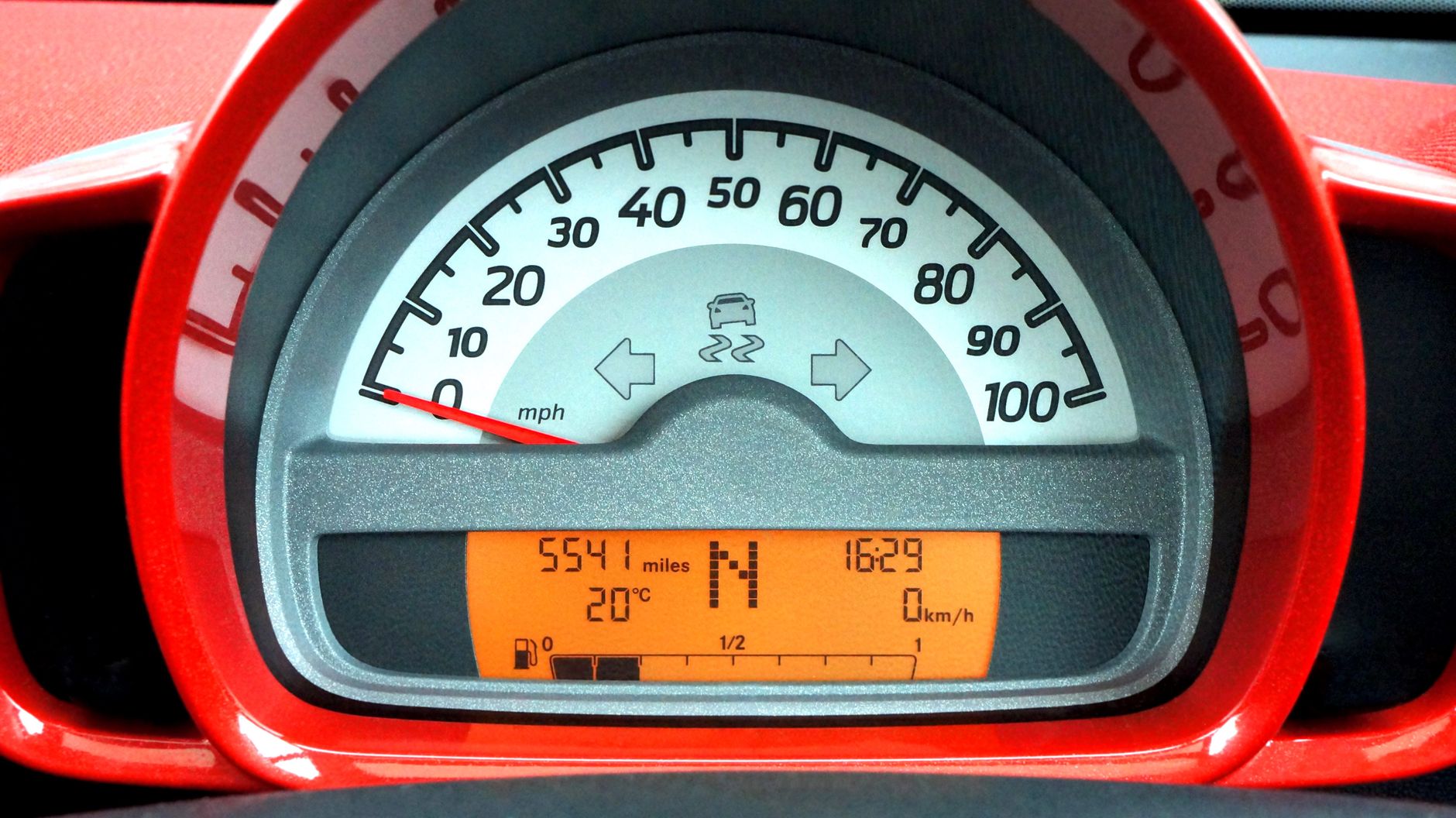
Several dead gauges at once point to the cluster itself. A failed circuit board, internal voltage regulator, or communication fault can take out the odometer panel and leave the rest of the dash behaving strangely, which is different from a simple fuse or sensor issue.
OBD-II communication codes help here too. Codes tied to network loss, module communication, or no response from the cluster suggest the unit is not receiving or sending data correctly, and that puts repair or replacement on the table.
Communication Codes Point To A Network Problem
Modern clusters speak to the ECU over the CAN bus, the network that lets modules share speed, mileage, and warning data. When that conversation drops, the display may go dark even though the car still drives fine.
That network detail explains a common surprise: the car can start, shift, and brake normally while the dashboard looks half asleep. The fault sits in the electronic conversation, not in the mechanical parts you feel through the pedals and wheel.
Cluster Repair And Replacement Solve Different Failures
Some cluster faults come from failed solder joints, burned drivers, or a dead internal power regulator. Others call for a replacement unit, especially after water intrusion or board damage that has spread across the circuit.
At this point, the repair path depends on what your symptom trail already showed. A dead cluster usually comes after the simpler checks have failed, so the next step should follow the evidence instead of a guess.
When simpler causes are ruled out, the remaining fixes should match what the tests have already shown.
Repairs That Make Sense Next
The clean order runs from simple to complex: fuse replacement, connector cleaning, wiring repair, cluster service, then display replacement. That sequence keeps you from spending money on a module when the real fault sits in a corroded pin or weak ground.
A shop diagnosis makes sense when the odometer reading is blank or frozen and the cause is not obvious. A technician with a scan tool, wiring diagram, and meter can check power, ground, CAN data, and sensor input in one pass, which is faster than swapping parts at random.
A Practical Repair Path Saves Time
- Check the fuse first, because a simple open feed can kill the display at once.
- Inspect the connector next, especially for looseness, green corrosion, or bent pins.
- Scan OBD-II codes to separate sensor faults from cluster communication faults.
- Test the speed sensor when the mileage count stops but the cluster still has power.
- Repair the cluster when multiple gauges fail or the board shows internal damage.
The best next step after a digital odometer display not working problem depends on the symptom you already confirmed. A blank panel points to power or backlight, a flicker points to wiring, and a frozen count points to signal loss or cluster trouble. That symptom trail gives you the shortest path to a real fix.
A dead needle often points to wiring, while a frozen count usually means signal loss or cluster trouble.
What To Remember
A dead odometer screen is rarely random. You can usually narrow it to power, connection, sensor input, or the cluster itself by watching how the display fails, then matching that pattern to the rest of the dash. That order saves time and keeps the repair focused on the part that actually broke.
FAQ
Why is my digital dash speedometer not working?
A digital dash speedometer usually goes blank because power, ground, sensor input, or cluster communication has dropped out. A fuse, loose connector, bad vehicle speed sensor, or failed instrument cluster can all cause the same symptom, so the visible pattern matters more than the guess.
How do I turn my digital speedometer back on?
Start with the fuse box, the dimmer switch, and the connector at the cluster. A display that comes back after a tap or harness movement often points to loose wiring, while a dark but faint screen at night points to backlight or illumination trouble.
How do I get my odometer back on the dashboard?
Check whether the screen is blank, frozen, or dim, then scan for OBD-II codes. A speed sensor fault, cluster communication issue, or bad ground can all stop the reading from appearing, and each one needs a different repair path.
What causes a digital odometer display to stop working?
The most common causes are a blown fuse, poor connector contact, a failed speed sensor, or a bad instrument cluster. A broken backlight or dimmer fault can also make the display seem dead even though the logic board is still alive.
How can I fix a digital odometer display?
Begin with the easiest checks, then move toward wiring and scan data. Clean the connector, test the fuse, read fault codes, and inspect the speed sensor circuit before replacing the cluster, because the wrong part swap can waste time and money.
Is a bad fuse or sensor the reason my speedometer is blank?
Either one can do it. A fuse failure cuts power or illumination, while a bad speed sensor can leave the cluster with no speed data to show, and the symptom pattern tells you which path is more likely.